
A practical hydraulic hose knowledge base should help a trained person find the current approved record for a product, assembly, job, or exception without relying on memory. It needs clear ownership, revision status, search fields, and boundaries that prevent general guidance from being mistaken for engineering approval. Start with the decisions that regularly delay or endanger work: identifying hoses and ends, finding valid assembly instructions, reconstructing equipment records, and handling exceptions.
Build Around Decisions, Not a Folder of Documents
The knowledge base exists to support repeatable work. A large file library is not useful when users cannot tell which record applies, whether it is current, or who may approve a change.
List the recurring questions first
Map the questions people ask at receiving, quotation, assembly, inspection, installation, and repeat service. Typical examples include which hose and fitting combination is approved, which crimp instruction applies, what measurements define an assembly, and what changed after the last job. Each question should lead to a controlled record or to a clear stop-and-escalate instruction.
Avoid copying every catalog and email into one shared drive. Link source documents to structured records so users can search by part, hose series, equipment position, or process while still opening the original evidence. If a manufacturer updates its data, the team should be able to identify which internal records may be affected.
Define what the system cannot decide
A knowledge base can present approved information and route questions; it cannot create compatibility, pressure suitability, or application approval. Matching dash sizes, similar fittings, or a previous successful assembly does not establish a new hose-and-fitting combination. Competent technical authority and current manufacturer or equipment data remain the decision basis.
Organize Six Record Types With Clear Boundaries
Keep record types distinct so a lesson, training note, or job history cannot silently override a controlled product or process requirement. Users should know what each record proves and what it does not.
Product, combination, and process records
Product records identify hoses, fittings, ferrules, adapters, seals, and related components with manufacturer, full designation, series, size, construction, material, and revision where applicable. Combination records link an approved hose, fitting series, size, preparation method, crimp equipment, tooling, and current crimp data. Process records hold work instructions for cutting, preparation, insertion, crimping, cleaning, inspection, identification, and handling.
Do not convert a general article or supplier statement into an assembly instruction. The active workstation must point to the exact controlled instruction for the exact combination and equipment. Product-specific values should remain in their controlled source rather than being retyped into informal notes that can become stale.
Equipment, job, training, and exception records
Equipment records identify a machine, circuit function, and hose position using a stable internal reference. Job records capture what was actually assembled and inspected. Training records explain concepts and how to navigate the system, while exception lessons document a problem, evidence, disposition, and prevention without exposing confidential customer details.
Keep public training examples generic and remove names, contact details, equipment serial numbers, confidential drawings, prices, and identifiable complaints. Restricted records may require controlled access, retention rules, and a business-approved privacy process. The knowledge-base index can point authorized users to a protected source without copying sensitive content into a broad workspace.
Use a Minimal Record Schema That Supports Search and Control
A small, consistent schema is more useful than a complicated form people avoid. Required fields should establish identity, applicability, authority, source, revision, and status.
| Field group | Minimum record | Why it matters |
| Identity | Record ID, title, record type, product or equipment key | Supports stable search and prevents duplicate names |
| Scope | Product family, hose series, size, process, equipment position, or task | Defines where the information applies |
| Source | Manufacturer document, controlled drawing, approved instruction, or internal authority | Shows the evidence behind the record |
| Revision | Source revision, internal revision, effective date, superseded link | Prevents obsolete data from appearing current |
| Ownership | Author, technical owner, reviewer, approver, next review trigger | Makes maintenance responsibility visible |
| Status | Draft, under review, approved, obsolete, or archived | Separates working notes from released information |
| Boundaries | Limits, exceptions, required escalation, restricted access | Prevents unsupported extension to other products or jobs |
| Relationships | Linked parts, combinations, jobs, training, exceptions, and successors | Makes impact review and traceability possible |
Add technical fields only where they belong
A hose assembly record may need the hose manufacturer and series, size and construction, both fitting identities and orientations, applicable instruction, machine, die set, preparation, insertion check, measured crimp result, assembly length, lot references, inspection, and date. An equipment-position record may add routing, movement, fluid, temperature, pressure duty, environmental exposure, and photos or drawings under proper access control. Do not require every field on every record type.
Use controlled pick lists for status, record type, product family, and approval state where practical. Preserve original manufacturer designations and document references rather than replacing them with ambiguous internal nicknames. Search aliases can help users find the record, but they should point to one controlled identity.
Establish Ownership, Approval, and Revision Control
Every approved record needs an owner who understands its subject and a process for responding to source changes. “Shared responsibility” often becomes no responsibility.
Assign authority by record type
Technical owners approve product combinations and process instructions within their competence. Operations owners can maintain navigation, job templates, and workflow guidance without changing technical limits. Quality or document-control roles may manage release, access, revision history, and obsolete copies according to the organization’s system.
Define who may draft, review, approve, publish, and retire each record type. The same person need not perform every role. The key is that users can see whether content is approved and who must answer when evidence is incomplete.
Trigger review from events, not calendar alone
Review a record when a hose, fitting, ferrule, machine, die, program, manufacturer document, application, or inspection method changes. Also trigger review after a relevant nonconformity, field finding, or identified duplicate. A periodic review can catch neglect, but an event-based link is what prevents a known change from waiting until an arbitrary date.
Supersede rather than overwrite. Preserve the earlier revision, effective point, reason for change, approvals, and links to affected records. Remove obsolete printouts and uncontrolled screenshots from active work areas so search results do not compete with stale instructions.
Design a Simple Publish-and-Maintain Workflow
The workflow should make the safe action easier than creating another private note. Keep the number of states small and define entry and exit criteria for each one.
Capture, verify, approve, release
Begin with a structured request that states the question, proposed scope, source, and affected records. The owner verifies product identity and source authority, resolves conflicts, and sends technical issues to competent review. After approval, document control releases the record, updates links and search terms, marks the superseded version, and notifies affected users.

A practical sequence is:
- capture the question and evidence without treating it as approved;
- check for an existing record and merge genuine duplicates;
- verify source, scope, revision, and confidentiality;
- obtain the required technical and process approvals;
- publish one current version and retire active obsolete copies;
- link affected products, jobs, training, and exception records;
- verify that users can find and interpret the released answer.
Monitor use and data quality
Track failed searches, repeated questions, records without owners, stale source links, duplicate entries, and exceptions caused by obsolete information. These indicators reveal where the knowledge base fails daily work. Page views alone do not prove that users found the correct instruction or made a safe decision.
Make Onboarding Practical Without Replacing Competency
New team members need a guided path through product identity, record types, and escalation. Reading articles is not a substitute for qualified hands-on training, supervised practice, or authorization.
Teach navigation and stop conditions
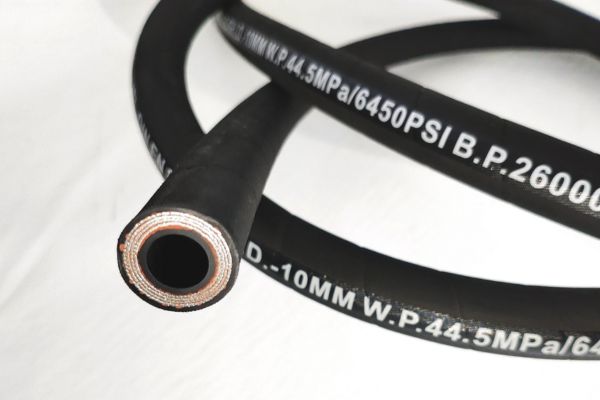
An onboarding path can show how to identify a hose layline, distinguish connection and sealing features, retrieve an approved combination, verify instruction revision, and record a job. It should also show when to stop: missing identity, conflicting sources, unapproved combination, damaged component, uncertain sealing method, or absent application data.
Competency checks should match the person’s role. Someone who can locate an instruction may not be authorized to approve a new combination, change a crimp program, inspect a safety-critical assembly, or diagnose equipment. Record role boundaries and the qualified person who handles each escalation.
Keep safety instructions connected to the task
Before inspecting installed hydraulic equipment, stop and isolate the system, release pressure and stored energy, secure raised loads, and follow lockout and equipment procedures. Never search for an injection leak by hand. Knowledge articles should link users to approved safety and work procedures rather than summarizing complex operations so loosely that critical steps disappear.
Hypothetical Knowledge-Base Entry
Consider a hypothetical shop that repeatedly rebuilds a hose for a machine position. Staff currently search old invoices, photos, and a handwritten crimp note. This example does not establish product compatibility or approve an assembly.
Turn scattered evidence into a controlled route
The team creates an equipment-position key without public customer identity, then links the current assembly drawing, hose and fitting designations, approved combination source, work instruction, and job-record template. A technical owner reviews the evidence and finds that the handwritten value lacks a source revision, so it is quarantined rather than copied.
After the approved data is confirmed through the responsible process, document control releases a combination record and connects it to training on how to find the instruction. The next job records the actual parts, lots, machine, tooling, checks, and inspector under restricted access. An exception lesson explains why unsupported handwritten settings are not accepted. The knowledge base now shortens retrieval while preserving the boundary that only controlled approval authorizes assembly.
Common Mistakes and Next-Action Checklist
Knowledge bases fail when they collect content faster than they control it. The result is multiple answers, unclear authority, and confident use of obsolete values.

Avoid predictable failure patterns
- copying manufacturer data without its document identity or revision;
- allowing training pages to override controlled work instructions;
- mixing approved values, job results, and unverified notes in one field;
- using customer names or confidential drawings in public examples;
- keeping duplicate current pages for the same combination;
- assigning no owner or review trigger;
- measuring success only by the number of uploaded documents.
Start with a narrow pilot covering one product family or recurring workflow. Define the record types, fields, owners, approval states, permissions, source links, and stop conditions. Migrate only verified current information, test searches with actual user questions, and archive duplicates. Expand after users can find the correct record and explain its limits; escalate technical gaps instead of filling them with memory.
Conclusion
A useful hydraulic hose knowledge base connects daily questions to current approved evidence, responsible owners, and clear competency boundaries. Organize product, combination, process, equipment, job, training, and exception records without allowing one type to impersonate another. Use a minimal schema for identity, scope, source, revision, status, ownership, limits, and relationships, then maintain it through event-driven review and controlled supersession. Protect confidential information with appropriate access and keep public examples anonymous. Onboarding should teach navigation and stop conditions while qualified training and technical approval remain separate. Record failed searches and recurring questions so maintenance follows real workflow gaps. Begin with one recurring workflow, verify every migrated source, test real searches, and correct duplicates before expanding the hydraulic hose business knowledge base.
FAQ
Should the knowledge base copy every manufacturer catalog?
No. Index the relevant controlled source and applicability, then avoid uncontrolled copies that may become stale when the manufacturer revises its data.
Can job history approve a hose and fitting combination?
No. Job history shows what occurred, while compatibility and process approval require the applicable controlled technical evidence and competent authority.
Where should confidential customer drawings be stored?
Store them only in an approved restricted system under the organization’s access and retention rules. A broad knowledge base may link authorized users without copying the file publicly.
How often should knowledge records be reviewed?
Review them when relevant products, sources, processes, equipment, applications, or findings change, plus any periodic check defined by the control system. There is no universal interval.
What is the best first topic for a pilot?
Choose a recurring, evidence-rich workflow that causes repeated searches or errors. It should be narrow enough to verify ownership, sources, search fields, and user understanding before expansion.